> ## Documentation Index
> Fetch the complete documentation index at: https://docs.fedapay.com/llms.txt
> Use this file to discover all available pages before exploring further.
# Profile Management and Security
This section allows you to configure your user account and strengthen access security. It is divided into two main tabs: **Profile** and **Login Activities**.
### Profile – Account Personalization and Security
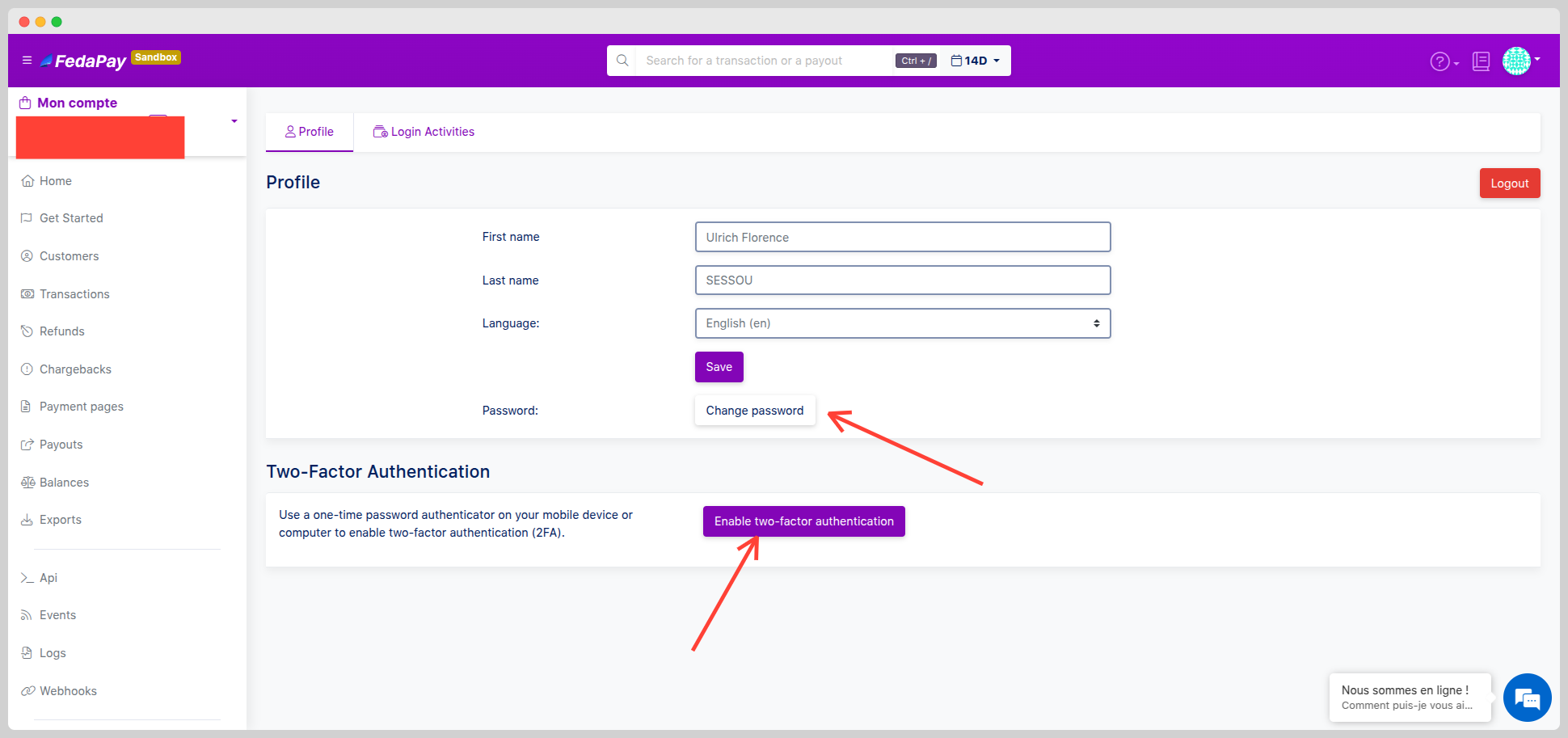
From your interface, click on your **name or avatar** at the top right of the screen, then select **Settings**. In the **Profile** tab, you can:
* Edit your **personal information**: first name, last name, display language.
* Change your **password**.
* Enable **two-factor authentication (2FA)** to secure your logins.
 **Security tip**: Enable 2FA to receive a confirmation code by SMS or via an app (such as Google Authenticator).
### Login Activities – Account Access Monitoring
The **Login Activities** tab gives you a complete overview of recent login attempts to your account. For each activity, you will see:
* **Attempt status**: ✅ Success (green) / ⚠️ Failure (yellow)
* **City / Region / Country**
* **Date and time**
You can refine your search using the built-in filters:
* **IP address**
* **Location** (city, region, country)
**Good to know**: In case of a suspicious attempt, immediately change your password and activate 2FA if not already enabled.
**Security tip**: Enable 2FA to receive a confirmation code by SMS or via an app (such as Google Authenticator).
### Login Activities – Account Access Monitoring
The **Login Activities** tab gives you a complete overview of recent login attempts to your account. For each activity, you will see:
* **Attempt status**: ✅ Success (green) / ⚠️ Failure (yellow)
* **City / Region / Country**
* **Date and time**
You can refine your search using the built-in filters:
* **IP address**
* **Location** (city, region, country)
**Good to know**: In case of a suspicious attempt, immediately change your password and activate 2FA if not already enabled.