> ## Documentation Index
> Fetch the complete documentation index at: https://docs.fedapay.com/llms.txt
> Use this file to discover all available pages before exploring further.
# Customer: Management and History
The **Customer** section of your FedaPay dashboard allows you to centralize, view, and efficiently manage all information related to your customer.
### Add a New Customer
To register a client in your system:
1. Click the **New Customer** button.
2. Fill out the form with the required information:
* Name
* Email address
* Phone number
3. Click **Create** to finalize the addition.
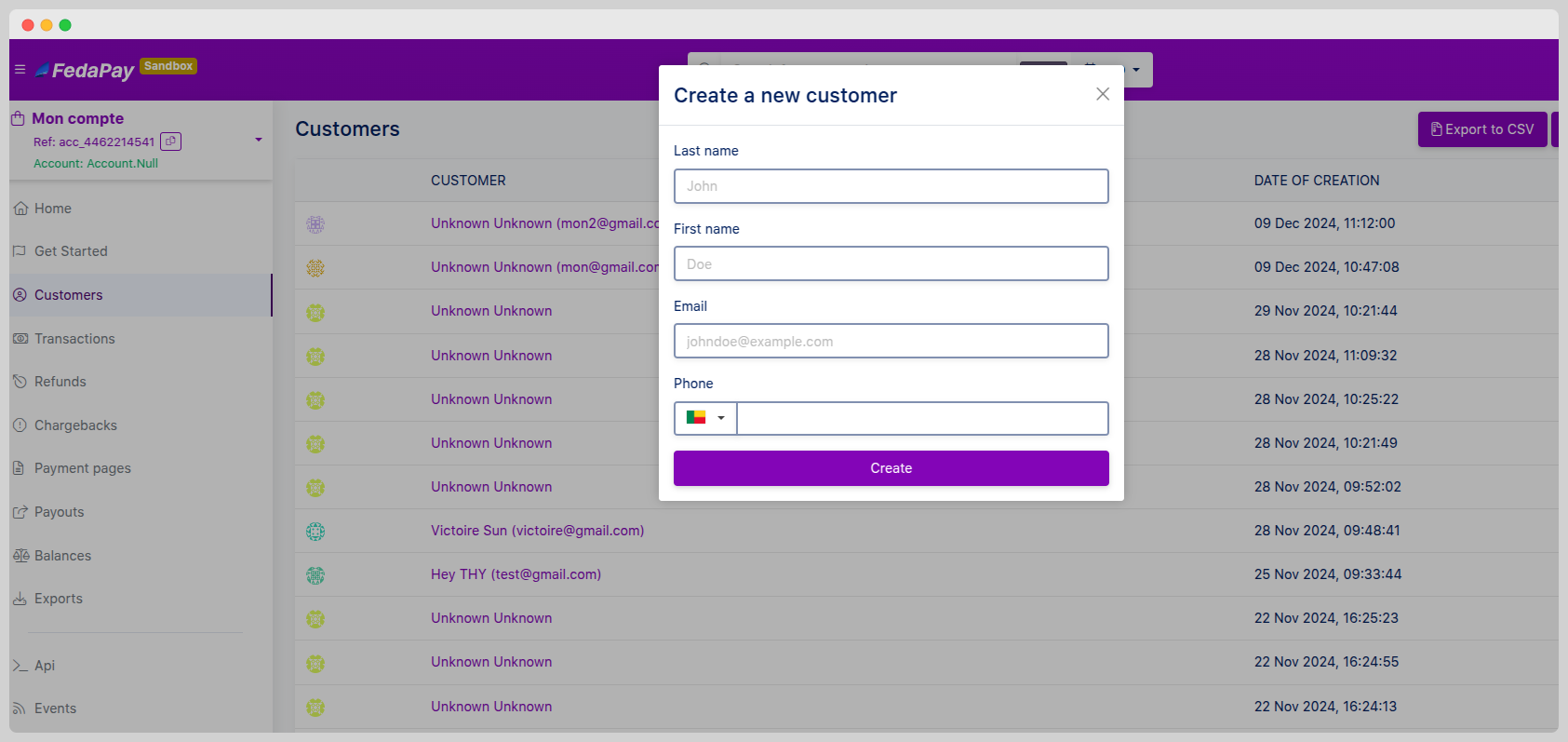 This feature is useful for anticipating recurring collects or pre-filling custom payment pages.
### Edit or Delete a Customer
Each client displayed in the list can be:
* **Edited:** Click the pencil icon to adjust their information.
* **Deleted:** Click the trash icon to remove them from your database.
**Deletion is permanent** and also removes direct links with collects. Use with caution.
### Customer Collect History
By clicking on a client, you access their detailed history:
* Associated collects
* Transaction statuses
* Event dates
* Relevant amounts
This feature is useful for anticipating recurring collects or pre-filling custom payment pages.
### Edit or Delete a Customer
Each client displayed in the list can be:
* **Edited:** Click the pencil icon to adjust their information.
* **Deleted:** Click the trash icon to remove them from your database.
**Deletion is permanent** and also removes direct links with collects. Use with caution.
### Customer Collect History
By clicking on a client, you access their detailed history:
* Associated collects
* Transaction statuses
* Event dates
* Relevant amounts
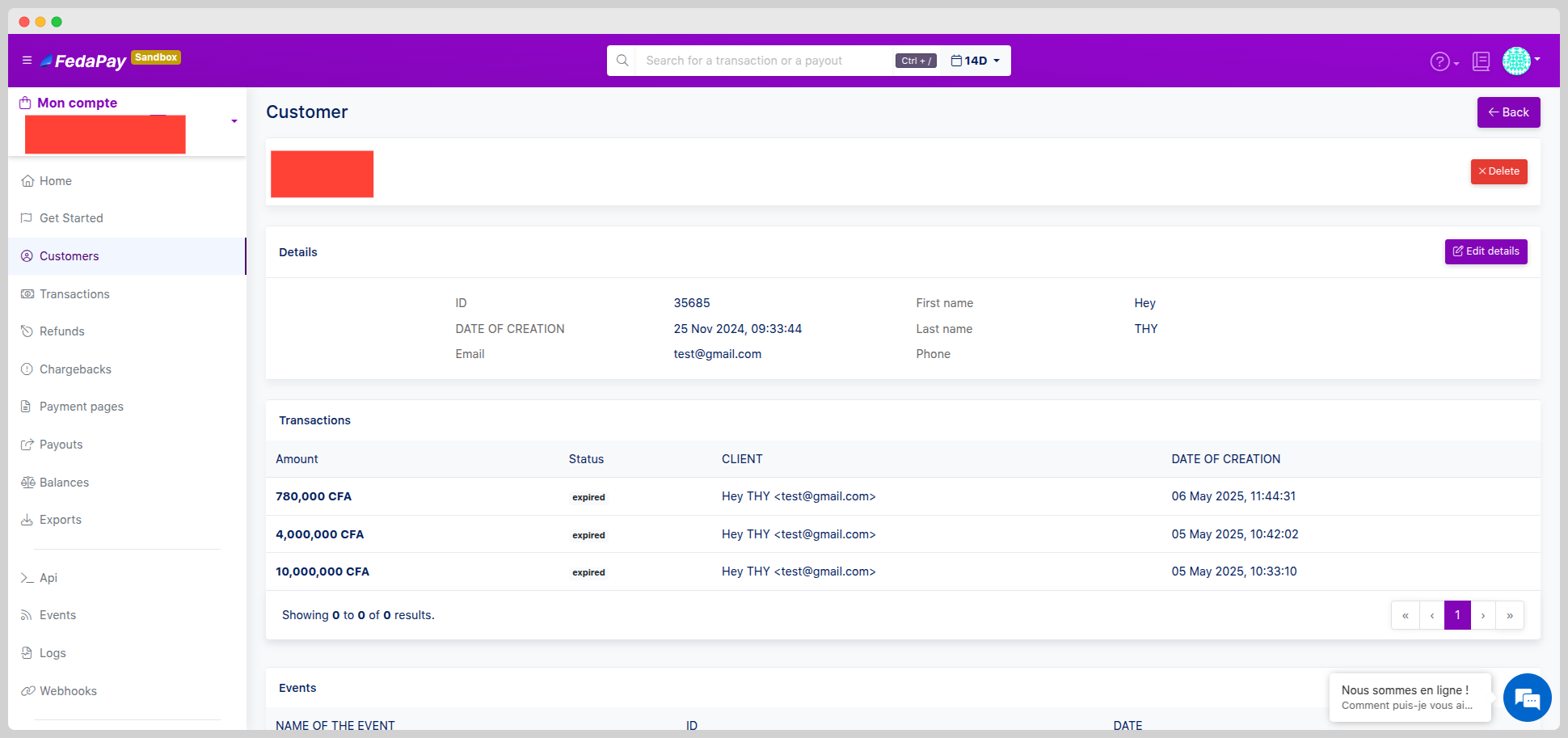 This view is ideal for tracking customer loyalty or resolving payment-related disputes.
### Filtering and Exporting
To better organize your data:
* Use the **Filter** button to sort by :
* **Name**
* **Email address**
* **Creation date**
This view is ideal for tracking customer loyalty or resolving payment-related disputes.
### Filtering and Exporting
To better organize your data:
* Use the **Filter** button to sort by :
* **Name**
* **Email address**
* **Creation date**
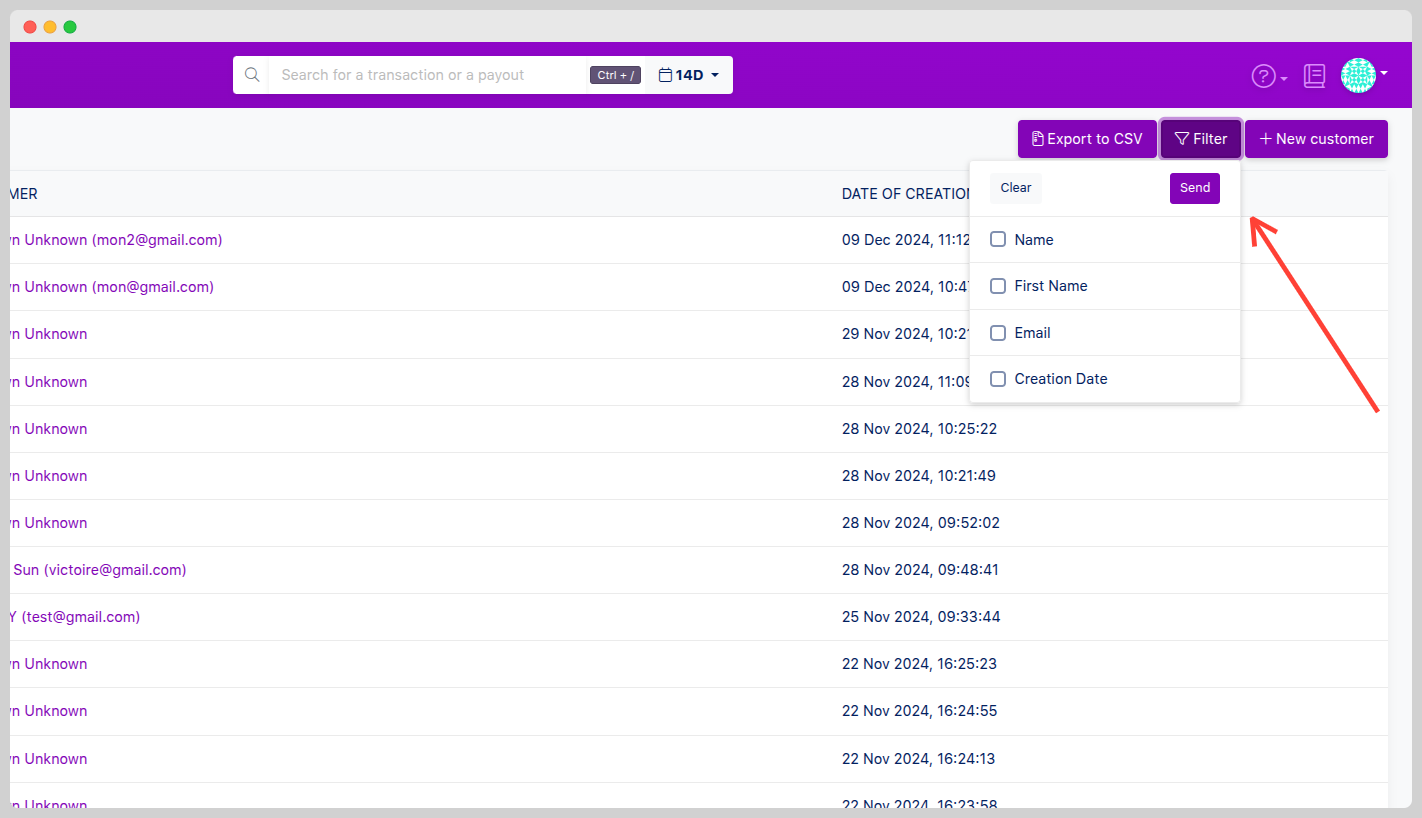 Export your full customer list in CSV format for analysis or integration into your reporting tools.
Export is available in one click via the **More actions** menu (or dedicated icon).
**Note:**
* The **Customer** section allows precise individual tracking of each user.
* All data can be easily edited, filtered, or exported.
* Access to history supports business decision-making and customer support.
Export your full customer list in CSV format for analysis or integration into your reporting tools.
Export is available in one click via the **More actions** menu (or dedicated icon).
**Note:**
* The **Customer** section allows precise individual tracking of each user.
* All data can be easily edited, filtered, or exported.
* Access to history supports business decision-making and customer support.