> ## Documentation Index
> Fetch the complete documentation index at: https://docs.fedapay.com/llms.txt
> Use this file to discover all available pages before exploring further.
# API, Events, Logs, and Webhooks
This section groups advanced tools for integrating your account with third-party systems, tracking collections in real-time, and inspecting activities via logs. It is intended for both technical users and managers wishing to monitor their operations.
### API – Integration Key Management
API keys allow you to integrate your external services with the platform. Two types of keys are available:
* **Public key**: to be used on the client side (browser or application).
* **Secret key**: to be kept only on the server side.
To generate or renew your keys:
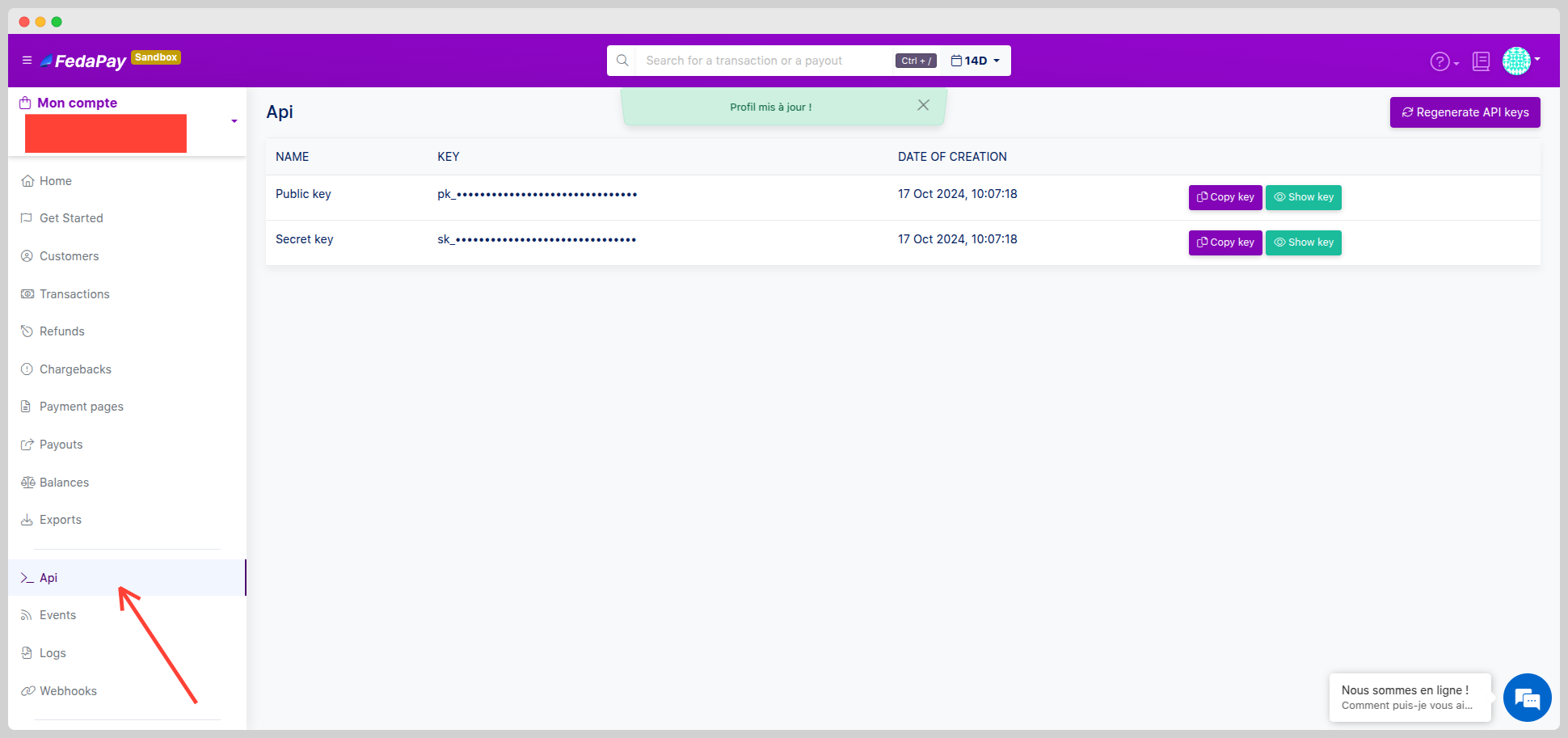 * Go to the **API** section.
* Click on “**Regenerate API keys**” to generate new keys.
**Security Note**: Never share your secret key. It grants full access to your account via the API.
### Events – Real-Time Collects Tracking
The **Events section** allows you to view all events generated by payments and collects, such as:
* Successful payment
* Failed payment
* Pending collection
* Go to the **API** section.
* Click on “**Regenerate API keys**” to generate new keys.
**Security Note**: Never share your secret key. It grants full access to your account via the API.
### Events – Real-Time Collects Tracking
The **Events section** allows you to view all events generated by payments and collects, such as:
* Successful payment
* Failed payment
* Pending collection
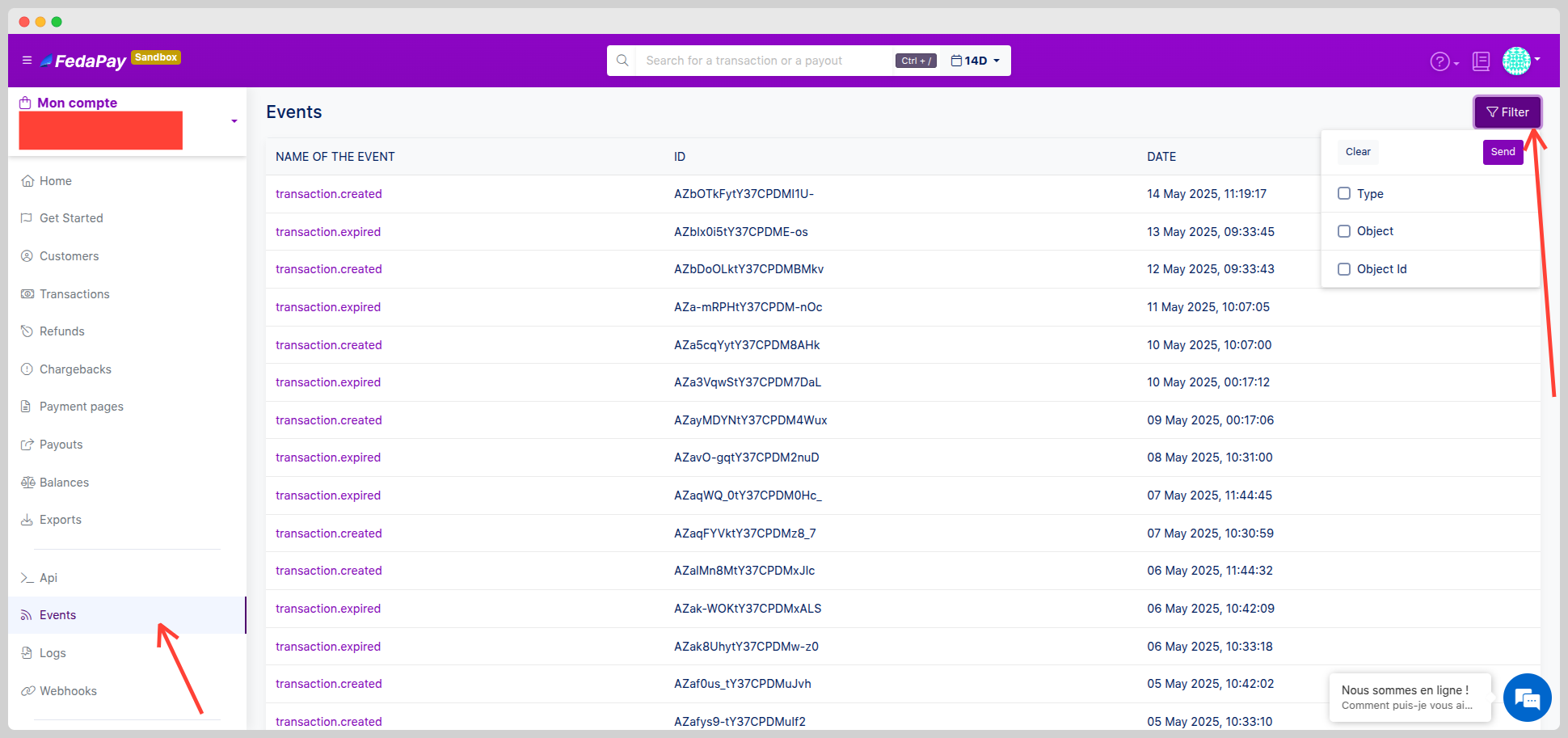 Each event contains detailed information about the related operation. To access it:
Click on **Events** from the side menu or from the [Webhooks & Events page](https://docs.fedapay.com/integration-api/en/webhooks-en).
### Logs – Activity History
The **Logs section** provides a complete history of operations related to your collections, including:
* The **status** of each action
* A **clear description** of what happened
* The **date and time** of the operation
Each event contains detailed information about the related operation. To access it:
Click on **Events** from the side menu or from the [Webhooks & Events page](https://docs.fedapay.com/integration-api/en/webhooks-en).
### Logs – Activity History
The **Logs section** provides a complete history of operations related to your collections, including:
* The **status** of each action
* A **clear description** of what happened
* The **date and time** of the operation
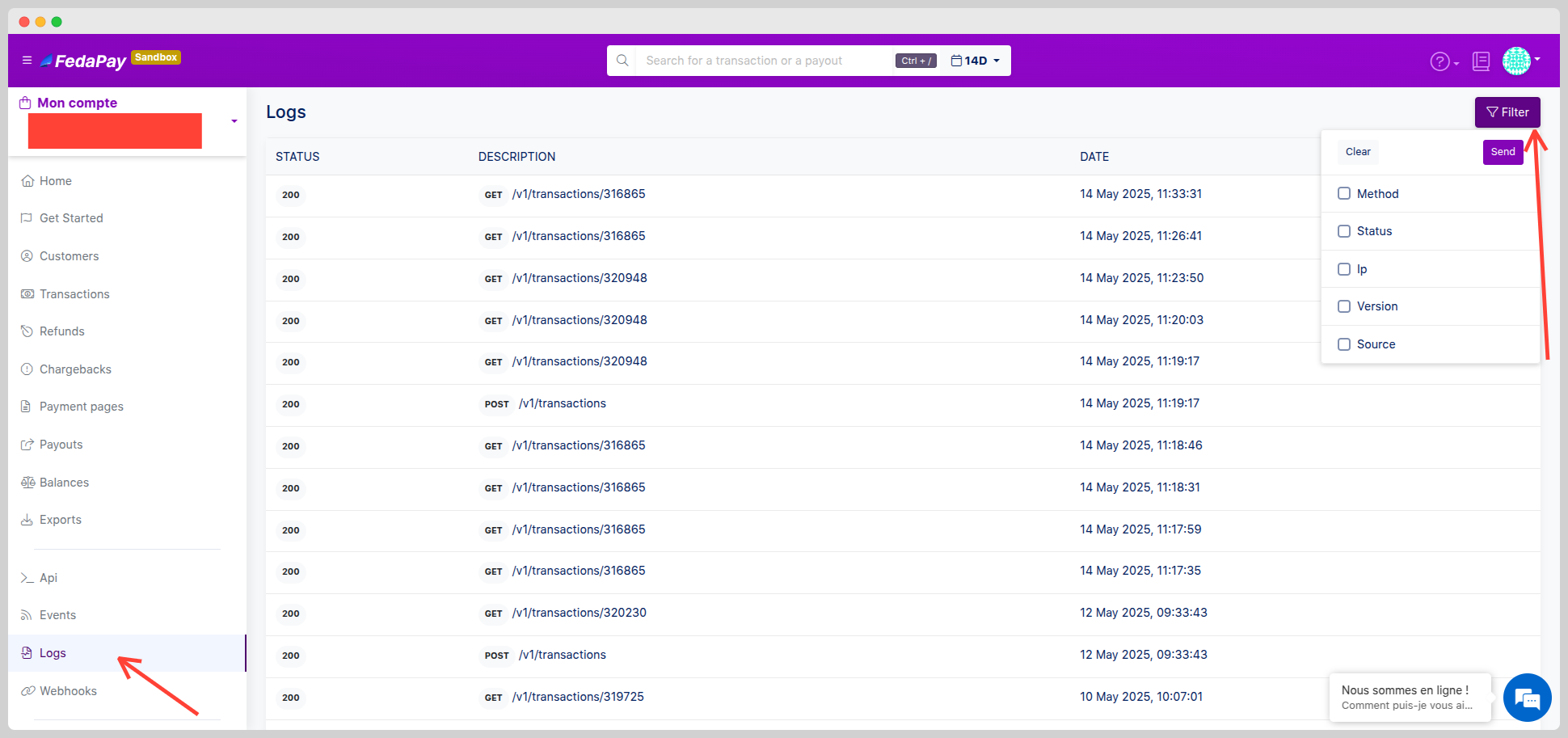 1-Click on **Logs** in the menu to view the activity.
2-Use filters to search for a specific log or time interval.
### Webhooks – Connection with Your External Systems
Webhooks allow you to receive automatic notifications when a specific event occurs (successful payment, failure, etc.). To configure a webhook:
1-Click on **Logs** in the menu to view the activity.
2-Use filters to search for a specific log or time interval.
### Webhooks – Connection with Your External Systems
Webhooks allow you to receive automatic notifications when a specific event occurs (successful payment, failure, etc.). To configure a webhook:
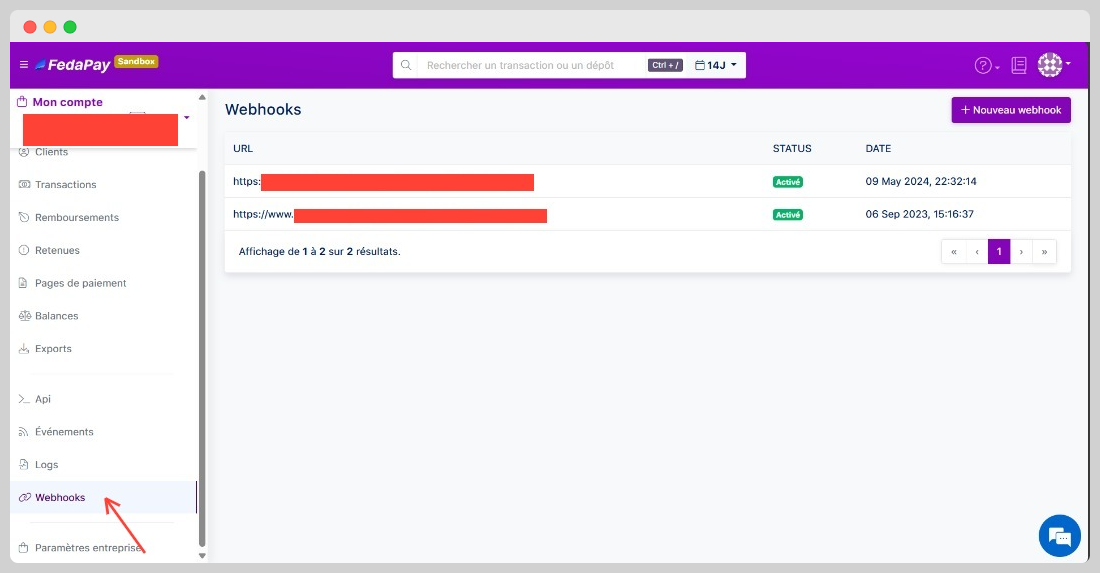
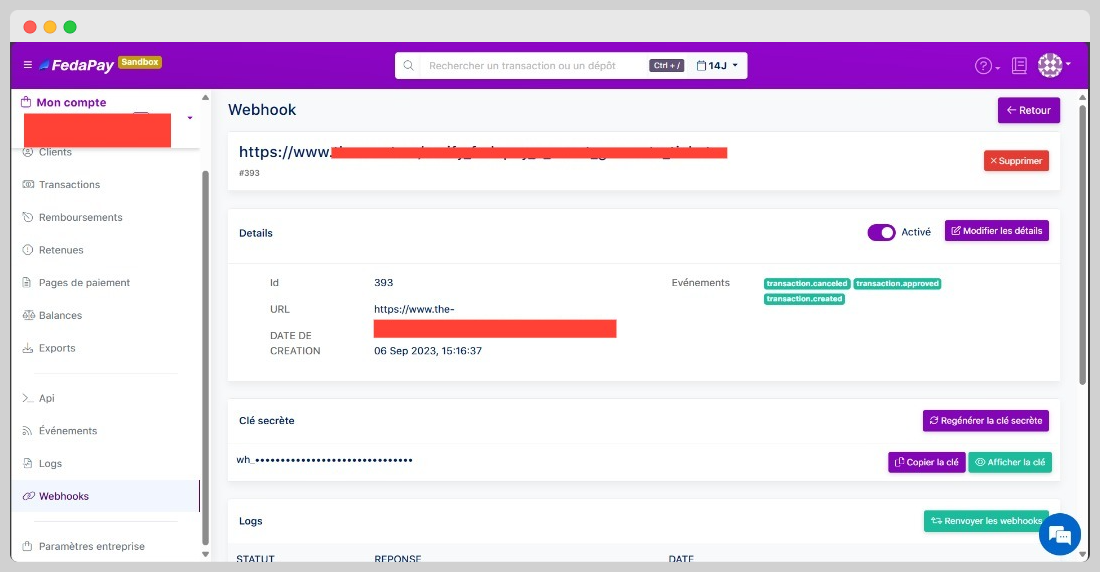 * Go to **Webhooks** from the menu or the Events section.
* Click on **Add a Webhook**.
* Enter the **destination URL** and select the types of events to monitor.
* Go to **Webhooks** from the menu or the Events section.
* Click on **Add a Webhook**.
* Enter the **destination URL** and select the types of events to monitor.